Customisation
Uploading your own control pages
FSCustom interfaces
One of Kijani's main features is that you can replace the control UI entirely. The pages are plain HTML, CSS and JavaScript stored in LittleFS on the ESP32 — upload your own from the home page and the robot serves them immediately.
Use the stock controller.html as a starting point, or write something from scratch against the HTTP API.
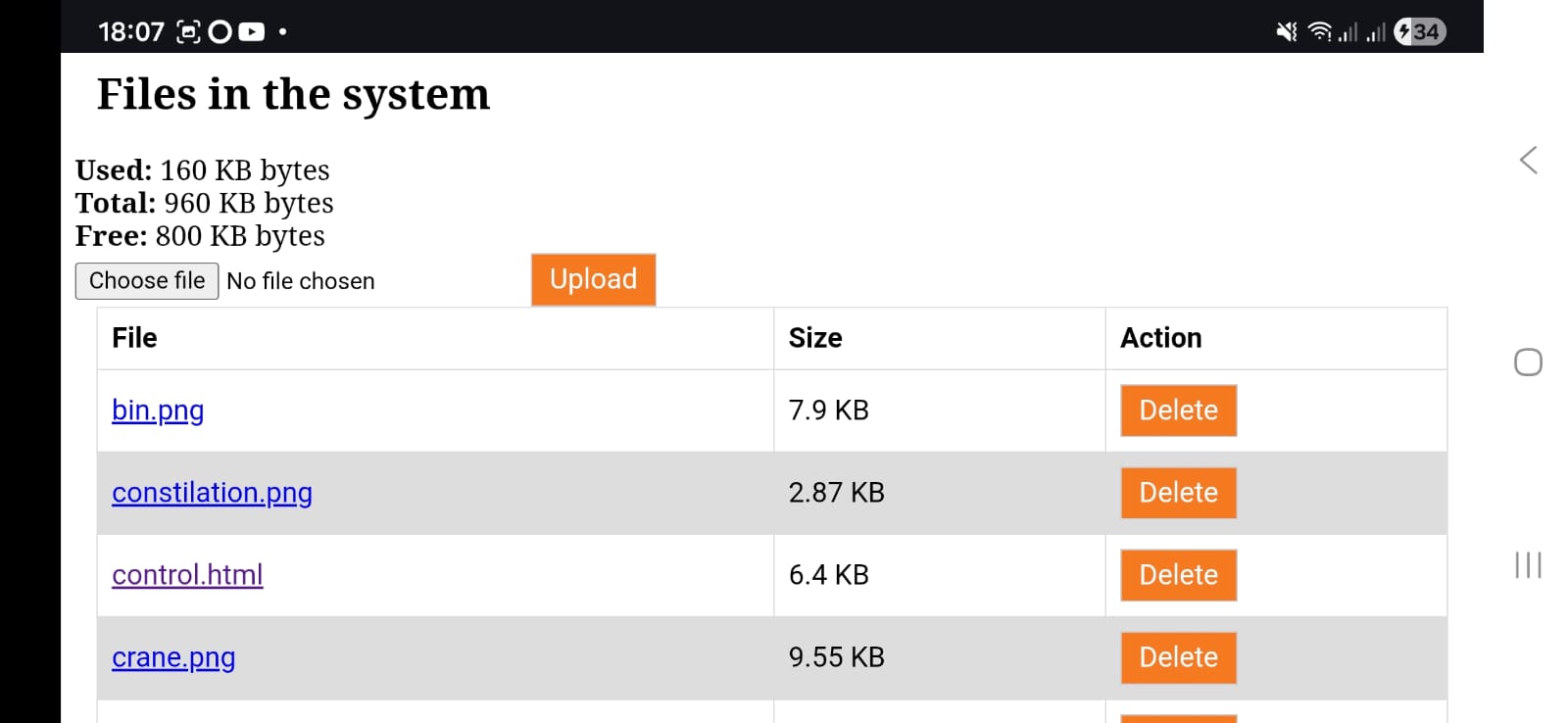
caution
There is no overwrite protection. Back up any file before replacing it. A factory reset does not restore deleted or modified web pages — you would need to re-flash the filesystem from a computer.
Settings
Open the Settings page from the home screen to configure:
- WiFi network name (SSID)
- WiFi password
- Robot-specific configuration values
- System information and firmware version
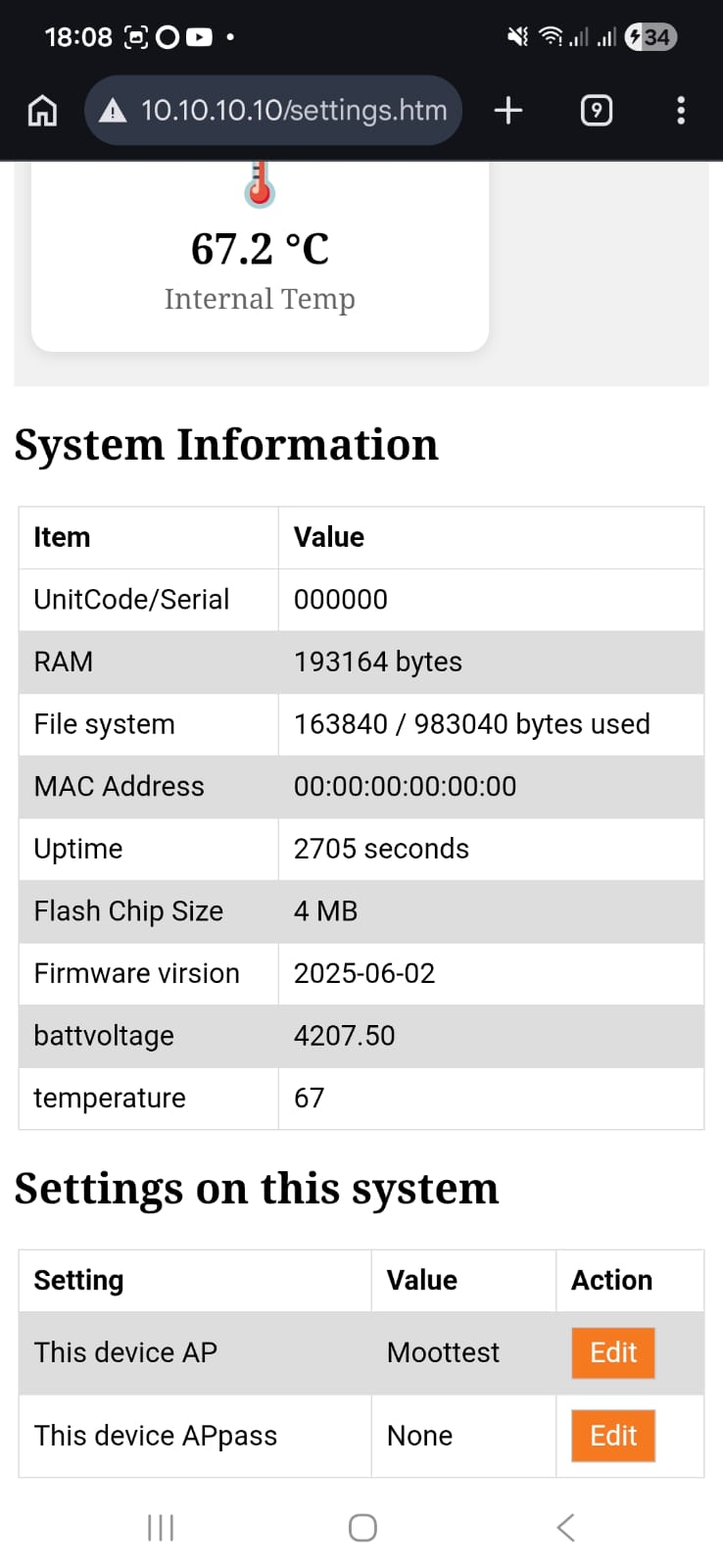
For firmware updates and factory reset, see Maintenance.